
Amazon Q Business
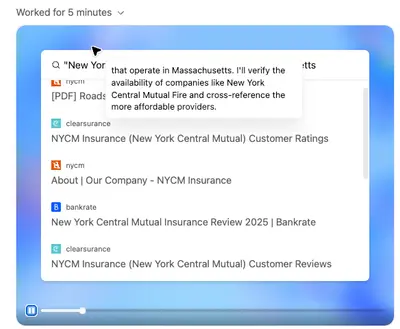
Amazon Q assistant fetching content to answer user queries.
What does Amazon Q Business do?
Amazon Q Business's web crawler fetches and indexes HTTPS websites (public or internal) to create data sources for Amazon Q Business, Amazon's enterprise AI assistant. It extracts HTML and supported attachments like PDFs, DOCX, and PPTX files, then populates a customer-specific Amazon Q index used for knowledge-base experiences. Because content is primarily surfaced within private enterprise environments, direct public referral traffic is limited, though source references may appear depending on how the Amazon Q application is configured.
Should I allow and optimize for Amazon Q Business to drive organic growth?
Amazon Q Business primarily surfaces content within private enterprise assistant experiences, so direct public referral traffic is limited. However, allowing this crawler means your content can appear in Amazon Q answers within organizations that have indexed your site. Citation and link display depends on how each Amazon Q application is configured. If your site publishes content that enterprise users would search for (documentation, product specs, industry guides), allowing this crawler increases your visibility within those environments. The indirect value through Amazon's broader AI ecosystem also makes allowing it worthwhile for most publishers.
Here's how to optimize for Amazon Q Business:
- Allow the aws-quick-on-behalf-of-<UUID> user-agent in your robots.txt
- Provide a sitemap.xml to help the crawler discover all relevant pages efficiently
- Use standard anchor tags (<a href>) for navigation instead of JavaScript-driven menus, since the crawler does not simulate clicks or scrolls
- Ensure critical content is in the initial HTML response rather than loaded dynamically via JavaScript
- Include descriptive page titles and meta descriptions to improve content extraction quality
- Add structured data (JSON-LD) to help the crawler understand page content and relationships
- Keep server response times fast and avoid aggressive rate limiting on crawler IPs
Data Usage & Training
Whether content crawled by Amazon Q Business's web crawler is used to train Amazon's broader AI models is unclear. AWS Web Crawler documentation indicates crawled content is ingested into a customer-specific Amazon Q index, but Amazonbot's developer pages state that crawled content may be used to train Amazon AI models. If you want to be cautious, treat content fetched by this crawler as potentially used for training and block it if that's a concern.
How Amazon Q Business Accesses Content
Here's how Amazon Q Business accesses your site and understands your content:
- Fetches HTML and supported attachments (PDF, DOCX, PPTX) via HTTPS requests
- Partial JavaScript rendering; does not simulate clicks or scrolls
- Uses the user-agent string aws-quick-on-behalf-of-<UUID>, where the UUID identifies the specific customer deployment
- Performs an initial full sync followed by incremental syncs on a configurable schedule
- Respects robots.txt Allow and Disallow directives, and honors meta robots tags (noindex, nofollow, noarchive)
Crawl frequency is configurable by the Amazon Q Business customer who set up the web crawler. The typical pattern is an initial full sync followed by incremental syncs on a customer-defined schedule.
How to Block or Control Amazon Q Business
To block this crawler via robots.txt, target the user-agent token. Because each deployment uses a unique UUID, you may need a wildcard approach or block the Amazonbot token as a fallback:
User-agent: Amazonbot
Disallow: /
You can also use page-level meta robots tags (noindex, nofollow, noarchive) to control indexing on specific pages. For IP-based blocking, Amazon publishes IP ranges at https://developer.amazon.com/amazonbot/searchbot-ip-addresses/. You can also contact Amazon directly at amazonbot@amazon.com to request opt-out. AWS customers who configured the crawler can restrict domains and URLs through the AWS console.
Common Issues & Troubleshooting
Watch out for these common problems when working with Amazon Q Business:
- The user-agent string includes a unique UUID per deployment (aws-quick-on-behalf-of-<UUID>), making it harder to write a single robots.txt rule that covers all instances
- JavaScript-driven navigation that requires simulated clicks or scrolls will not be followed by the crawler
- WAF or rate-limiting rules may inadvertently block legitimate crawl requests
- If robots.txt is unavailable (returns a server error), the crawler may fall back to default behavior and crawl more broadly than expected
- IP-based blocking may need periodic updates as Amazon's published IP ranges change
Quick Reference
amazon-qbusinessUser-agent: amazon-qbusiness
Disallow: /See which agents visit your site
Monitor real-time AI agent and bot activity on your site for free with Siteline Agent Analytics
Frequently Asked Questions
Similar Agents & Bots
Learn More



Related Resources
Ready to track Amazon Q Business on your site?
Start monitoring agent traffic, understand how AI discovers your content, and optimize for the next generation of search.